When “Try‑Before‑You‑Buy” Website Design Makes Sense – An Implementation Guide for Small‑to‑Medium Business Owners
Reader & decision – You are the owner of a growing SME (e‑commerce, professional services, or niche B2C brand) who has been asked by a digital agency to sign a fixed‑price contract for a brand‑new website. You like the idea of a “try‑before‑you‑buy” (TBYB) design process – a short‑term prototype that you can evaluate before committing to the full build – but you are unsure how to set it up, what technical and organisational prerequisites are required, and when a simpler rules‑based approach would be enough. This guide walks you through the complete decision‑making workflow, the mechanics of a TBYB prototype, trade‑offs versus traditional contracts, common failure modes, and a concrete decision‑aid you can fill in today.
1. Why a “Try‑Before‑You‑Buy” Design Model Is Relevant Now
-
Risk of sunk cost – Fixed‑price website projects often exceed budget or miss key conversion goals because requirements evolve after work has started. A TBYB prototype caps the initial spend and validates assumptions before the larger outlay.
-
Rapid iteration cycles – Modern front‑end frameworks (e.g., React, Vue, or low‑code builders) allow a functional mock‑up to be shipped in days rather than weeks, making a short‑term test feasible without delaying time‑to‑market.
-
Data‑driven stakeholder buy‑in – By exposing real users to a live prototype you can collect quantitative usability metrics (bounce, click‑through, task‑completion) that are far more persuasive than static mock‑ups.
These factors have converged in 2024‑25 as component libraries mature and cloud‑hosting costs drop, creating a sweet spot for TBYB pilots that are cheap, fast, and measurable.
2. Core Mechanics of a TBYB Website Design Pilot
| Phase | Goal | Typical Deliverable | Key Tools / Platforms |
|---|---|---|---|
| Scope Definition | Agree on a minimal viable slice of the site (e.g., homepage + product‑detail page) | Written scope document (≤ 5 pages) | Google Docs, Confluence |
| Rapid Prototyping | Build a functional front‑end that connects to dummy data | Clickable prototype hosted on a sub‑domain (e.g., pilot.mybrand.com) |
Webflow, Figma → HTML, or low‑code builder (Design.com) |
| Data Stubbing | Provide realistic content without full CMS integration | JSON files or headless CMS mock (e.g., Contentful sandbox) | Mockoon, Postman |
| User Testing | Validate usability and conversion hypotheses | Recorded sessions, task‑completion rates, SUS scores | UserTesting.com, internal surveys |
| Decision Review | Choose to proceed, pivot, or abort | Decision matrix (see Section 4) | Excel/Google Sheets |
The pilot never touches production infrastructure (payment gateways, live inventory, SEO crawl budget). It is deliberately isolated to keep risk low.
3. Prerequisites Before You Start
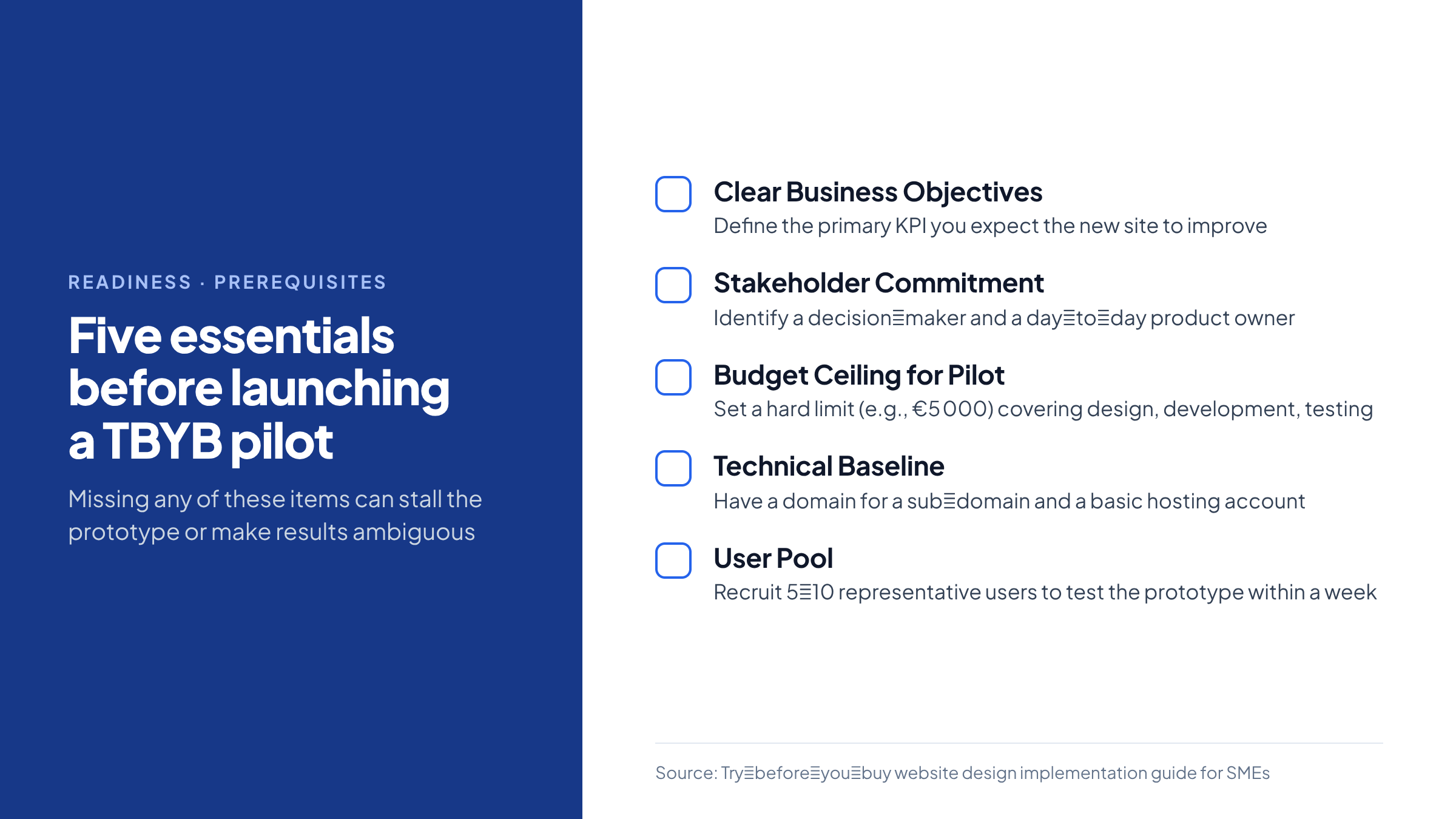
- Clear Business Objectives – Define the primary KPI you expect the new site to improve (e.g., 15 % lift in checkout conversion, 20 % reduction in bounce on the landing page). Without a measurable target the pilot cannot be judged.
- Stakeholder Commitment – Identify a single decision‑maker (often the CEO or Marketing Director) and a day‑to‑day product owner who can review deliverables weekly.
- Budget Ceiling for Pilot – Set a hard limit (e.g., €5 000) that covers design, development, and a modest user‑testing budget.
- Technical Baseline – Ensure you have a domain you can point a sub‑domain to, and a basic hosting account (any cloud VM or static‑site host will do).
- User Pool – Recruit 5‑10 representative users (customers, prospects, internal staff) who can test the prototype within a week.
If any of these items are missing, the pilot is likely to stall or produce ambiguous results.
4. Decision Aid – “TBYB Viability Matrix”
Below is a ready‑to‑use matrix. Fill in the Score column (0 = doesn’t apply, 1 = partially, 2 = fully). Add the Weight column to reflect how important each factor is for your business (total weight should sum to 10). Multiply Score × Weight for each row, then sum the Weighted Score.
| # | Factor | Description | Score (0‑2) | Weight (1‑3) | Weighted Score |
|---|---|---|---|---|---|
| 1 | Uncertain UX | You lack confidence that the current layout meets user expectations. | |||
| 2 | High Conversion Goal | The site is a primary revenue channel (e‑commerce, lead gen). | |||
| 3 | Complex Integrations | Full build requires ERP, CRM, or custom APIs that are risky to implement blindly. | |||
| 4 | Limited Internal Design Talent | Your team cannot produce high‑fidelity mock‑ups in‑house. | |||
| 5 | Time‑to‑Market Pressure | You need a live site in < 8 weeks, leaving little room for re‑work. | |||
| 6 | Budget Constraints | Full‑scale contract exceeds 30 % of quarterly marketing spend. | |||
| 7 | Regulatory / Safety Concerns | Site must meet accessibility (WCAG 2.2) or medical‑device data rules. | |||
| 8 | Existing Analytics | You have baseline metrics to compare pilot results against. | |||
| 9 | Vendor Flexibility | The agency is willing to sign a short‑term “prototype only” contract. | |||
| 10 | Internal Change Management | Your staff can adopt a new CMS after the pilot without major disruption. |
Interpretation
-
Total Weighted Score ≥ 15 – TBYB pilot is strongly recommended.
-
Total Weighted Score 8‑14 – Consider a limited pilot (e.g., only homepage) or a rules‑based design approach.
-
Total Weighted Score < 8 – A traditional fixed‑price contract or a DIY website builder may be more efficient.
Example: A boutique apparel brand scores high on factors 1, 2, 5, and 8, yielding a total of 18 → the matrix advises a full TBYB pilot.
5. Step‑by‑Step Implementation
5.1. Draft the Scope Document
-
Page list – Identify 2‑3 pages that represent the core user journey.
-
Success criteria – For each page, list measurable tasks (e.g., “Add to cart within 30 seconds”).
-
Exclusions – Explicitly note what will not be built (payment gateway, SEO meta‑tags).
5.2. Choose a Prototyping Stack
| Requirement | Recommended Tool | Why |
|---|---|---|
| Rapid visual design → code | Webflow (visual editor + exportable HTML/CSS) | No developer needed for static pages; easy to host on Netlify. |
| Component‑driven UI | Figma + React (using a UI kit) | Gives a realistic component library; reusable for full build. |
| Low‑code with AI assistance | Design.com (AI‑enhanced template generator) | Reduces design time; suitable when internal design skill is low. |
Pick the tool that matches your team’s skill set and the pilot’s complexity.
5.3. Build the Prototype
- Create a style guide – Define colors, typography, and button states.
- Assemble pages – Use the chosen tool to lay out the homepage, a product/detail page, and a contact/lead‑capture form.
- Connect dummy data – Upload a JSON file with 5‑10 sample products; map fields to UI components.
- Deploy – Push to a sub‑domain (
pilot.mybrand.com) using a static‑site host (Netlify, Vercel) that offers instant roll‑back.
5.4. Conduct User Testing (the “try” phase)
-
Recruit – Email existing customers or use a small panel from a user‑testing service.
-
Tasks – Ask participants to complete 3 core tasks (e.g., “Find a product under €50 and add it to the cart”).
-
Metrics – Record time‑on‑task, error rate, and post‑test SUS (System Usability Scale) score.
-
Qualitative feedback – Capture open‑ended comments on visual appeal and perceived trust.
A minimum of 5 participants yields enough data to spot major usability flaws without inflating cost.
5.5. Analyse Results & Decide
-
Compare pilot metrics against baseline analytics (e.g., current bounce = 68 %).
-
Use the Weighted Score matrix to see if the pilot met the pre‑defined KPI threshold (e.g., ≥ 15 % conversion lift).
-
Document a Go/No‑Go recommendation with rationale (e.g., “Prototype achieved 22 % conversion lift; proceed to full build”).
6. Trade‑offs & Failure Modes
| Aspect | TBYB Advantage | Potential Drawback | Mitigation |
|---|---|---|---|
| Cost predictability | Fixed pilot budget caps exposure. | Full build may still exceed expectations if scope creeps after pilot. | Freeze scope after pilot; use change‑request process. |
| Speed | Prototype can be delivered in 2‑4 weeks. | Iterations may extend timeline if major redesign needed. | Limit iterations to 2 cycles; set hard deadline for decision. |
| Data quality | Real user behavior informs design. | Small test sample may not represent all market segments. | Choose a diverse user pool; supplement with heuristic expert review. |
| Technical debt | Prototype uses lightweight stack, reducing debt. | Switching to a different tech stack for full build can cause re‑work. | Align pilot stack with intended production stack wherever possible. |
| Vendor relationship | Early collaboration builds trust. | Agency may push for larger contract regardless of pilot outcome. | Insist on a “pilot‑only” contract clause with clear exit terms. |
7. When a Simple Rules‑Based Automation Is Sufficient
If your website’s primary function is informational (e.g., a static brochure site) and you have clear, unchanging content, a full TBYB pilot may be overkill. In such cases:
-
Use a template‑based builder (e.g., Website.com) that lets you configure pages via a drag‑and‑drop UI.
-
Apply rules‑based SEO automation (meta‑tags, sitemap generation) that does not require AI‑driven personalization.
-
Conduct a single round of stakeholder review rather than a multi‑user test.
The cost and time saved by skipping a prototype often outweigh the marginal risk of design mis‑fit for low‑complexity sites.
8. Practical Checklist for Launching Your TBYB Pilot
- [ ] Define 1‑3 core user journeys and success metrics.
- [ ] Secure a € 5 000 (or appropriate) pilot budget ceiling.
- [ ] Choose prototyping tool aligned with internal skill set.
- [ ] Draft a 2‑page scope document and get sign‑off from the decision‑maker.
- [ ] Set up a sub‑domain and a static‑site host (free tier is usually enough).
- [ ] Build the prototype within 2‑4 weeks.
- [ ] Recruit 5‑10 test users; schedule 30‑minute testing sessions.
- [ ] Capture quantitative metrics (time‑on‑task, conversion) and qualitative feedback.
- [ ] Populate the “TBYB Viability Matrix” and calculate the weighted score.
- [ ] Hold a decision meeting; document go/no‑go and next steps.
9. Safety‑Sensitive or Regulated Contexts
If your site handles personal health information, financial data, or must meet strict accessibility standards:
-
Separate compliance testing – Run an independent WCAG audit on the prototype; do not rely solely on user‑testing feedback.
-
Error handling – Build explicit fallback pages (e.g., “Service unavailable”) even in the pilot to avoid exposing raw errors.
-
Human oversight – Assign a compliance officer to review all content before the pilot goes live.
These steps ensure that the pilot does not create legal exposure, even though it is a limited test.
10. Closing Action
Take the next 30 minutes: Open a new Google Sheet, copy the “TBYB Viability Matrix” table above, and fill in the Score and Weight columns based on your current situation. Add up the weighted scores and see where you land. If the total is 15 or higher, schedule a 1‑hour kickoff call with your preferred agency to negotiate a pilot‑only contract and lock in the € 5 000 budget ceiling.
This concrete exercise turns the abstract “try‑before‑you‑buy” concept into an actionable decision you can make today.
Frequently Asked Questions
What are the main benefits of a try‑before‑you‑buy website design pilot?
A pilot caps initial spend, validates usability with real users, and provides data‑driven evidence before committing to a full‑scale build, reducing the risk of sunk costs.
Which prerequisites must be in place before starting a TBYB pilot?
You need clear business objectives, a committed decision‑maker, a fixed pilot budget, a domain/sub‑domain for hosting, and a small pool of representative users for testing.
How does the TBYB Viability Matrix help decide whether to run a pilot?
Score each factor from 0‑2, apply weighted importance, and sum the results. A total of 15 or higher strongly recommends a pilot, 8‑14 suggests a limited test, and below 8 points to a traditional contract.
What tools can be used for rapid prototyping in a TBYB pilot?
Common options include Webflow for visual design, Figma combined with React for component‑driven UI, or low‑code builders such as Design.com that generate code from templates.
When is a simple rules‑based website builder sufficient instead of a TBYB pilot?
If the site is primarily informational, has static content, and does not require complex integrations or conversion testing, a template‑based builder can save time and cost without the need for a pilot.
Related Search Queries
how to define the scope for a try before you buy website prototype
Identify 2‑3 core pages that represent the main user journey, list measurable tasks for each page, and clearly note any exclusions such as payment processing or SEO meta‑tags.
budget guidelines for a try before you buy website design pilot
Set a hard ceiling—often around €5 000—to cover design, development, hosting, and a modest user‑testing budget, ensuring the pilot remains low‑risk financially.
best user testing methods for a website design pilot
Recruit 5‑10 representative users, assign them specific tasks, record time‑on‑task, error rates, and collect SUS scores along with open‑ended feedback to evaluate usability.
how to choose a prototyping stack for a TBYB pilot
Match the stack to your team’s skills: use Webflow for visual‑only builds, Figma + React for component libraries, or low‑code platforms when internal design talent is limited.
common failure modes of try before you buy website projects
Typical issues include scope creep after the pilot, extended iteration cycles, small user samples that don’t represent the market, and misalignment between prototype and final technology stack.
how to conduct a decision review after a website prototype
Compare pilot metrics against baseline analytics, calculate the weighted score from the viability matrix, and document a clear go/no‑go recommendation with supporting data.
regulatory considerations for a website design prototype
Run an independent accessibility audit, ensure error handling pages are in place, and have a compliance officer review all content before the prototype goes live.
quick checklist for launching a try before you buy website pilot
Define user journeys, set a pilot budget, choose a prototyping tool, draft a scope document, set up a sub‑domain, build the prototype, recruit test users, collect metrics, fill the viability matrix, and hold a decision meeting.